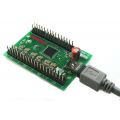
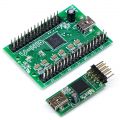
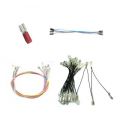



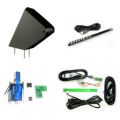

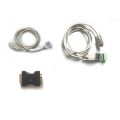

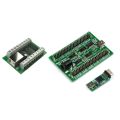
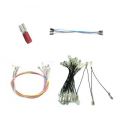

X-Box Classic Control Adaptor
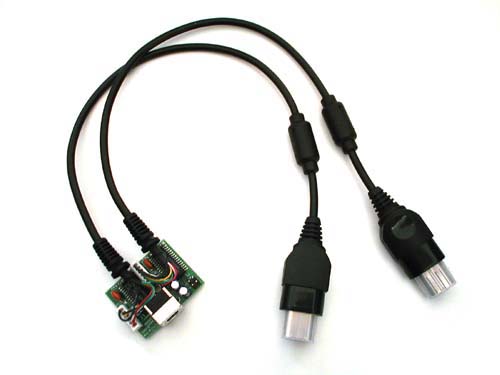


Please note this is an end-of-life product with limited stock. This adaptor works only with pre-2015 I-PAC boards with the PS/2 interface cable.
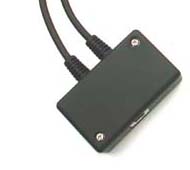
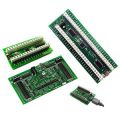
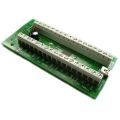
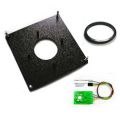
Adaptor with optional case
The X-Box Adaptor converts the output from the I-PAC (must be in PS/2 keyboard mode) into XBox commands. The controls connected to the I-PAC emulate the controls on the XBox controller as shown in the tables below. Important Note: The XBox controller contains some analog controls, and your arcade control panel has switch-type controls. This means that pressing each switch simulates the analog control being pushed hard across. Some games (flight sims for example) cannot be played with switch-type controls.
This adaptor can also be used with a keyboard. The keys shown in the tables below, simulate the actions of the XBox controller.
The I-PAC controls shown in the tables are only valid if the MAME default codeset is being used in the I-PAC. If the I-PAC has been programmed with a different codeset, the button assignments will be different.
| Switch to Digital Mode | Start1/P1 Down* | P |
| Switch to Left Analog Mode | Start1/P1 Left* | Enter |
| Switch to Right Analog Mode | Start1/P1 Right* | Tab |
| Switch to 2 into 1 Mode | Start1/P2 Down** | F12 |
Tip: You can remember these keys by looking at the XBox controller, and the positions of each control.
* These are I-PAC shift functions, ie hold down P1 Start
** This is not part of the default I-PAC codeset. The function is suggested only
and can be programmed into the I-PAC if needed.
| PLAYER 1 | PLAYER 2 | ||||
| X-Box Control | I-PAC Button | Keyboard Char | X-Box Control | I-PAC Button | Keyboard Char |
| D-Pad Right | P1 Right | Right | D-Pad Right | P2 Right | G |
| D-Pad Left | P1 Left | Left | D-Pad Left | P2 Left | D |
| D-Pad Up | P1 Up | Up | D-Pad Up | P2 Up | R |
| D-Pad Down | P1 Down | Down | D-Pad Down | P2 Down | F |
| Start | P1 Start | 1 | Start | P2 Start | 2 |
| Back | Start1/Up* | `(key below ESC) | Back | F11 | |
| Button A | P1 SW 1 | L-Ctrl | Button A | P2 SW 1 | A |
| Button B | P1 SW 2 | L-Alt | Button B | P2 SW 2 | S |
| Button X | P1 SW 3 | Space | Button X | P2 SW 3 | Q |
| Button Y | P1 SW 4 | L-Shift | Button Y | P2 SW 4 | W |
| Black | P1 SW 5 | Z | Black | P2 SW 5 | I |
| White | P1 SW 6 | X | White | P2 SW 6 | K |
| L-Trigger | P1 SW 7 | C | L-Trigger | P2 SW 7 | J |
| R-Trigger | P1 SW 8 | V | R-Trigger | P2 SW 8 | L |
| L-Analog Click | Coin 1 | 5 | L-Analog Click | Coin 2 | 6 |
| R-Analog Click | 7 | R-Analog Click | 8 | ||
| PLAYER 1 | PLAYER 2 | ||||
| X-Box Control | I-PAC Button | Keyboard Char | X-Box Control | I-PAC Button | Keyboard Char |
| Analog Right | P1 Right | Right | Analog Right | P2 Right | G |
| Analog Left | P1 Left | Left | Analog Left | P2 Left | D |
| Analog Up | P1 Up | Up | Analog Up | P2 Up | R |
| Analog Down | P1 Down | Down | Analog Down | P2 Down | F |
| Start | P1 Start | 1 | Start | P2 Start | 2 |
| Back | Start1/Up* | `(key below ESC) | Back | F11 | |
| Button A | P1 SW 1 | L-Ctrl | Button A | P2 SW 1 | A |
| Button B | P1 SW 2 | L-Alt | Button B | P2 SW 2 | S |
| Button X | P1 SW 3 | Space | Button X | P2 SW 3 | Q |
| Button Y | P1 SW 4 | L-Shift | Button Y | P2 SW 4 | W |
| Black | P1 SW 5 | Z | Black | P2 SW 5 | I |
| White | P1 SW 6 | X | White | P2 SW 6 | K |
| L-Trigger | P1 SW 7 | C | L-Trigger | P2 SW 7 | J |
| R-Trigger | P1 SW 8 | V | R-Trigger | P2 SW 8 | L |
| L-Analog Click | Coin 1 | 5 | L-Analog Click | Coin 2 | 6 |
| R-Analog Click | 7 | R-Analog Click | 8 | ||
| PLAYER 1 | PLAYER 2 | ||||
| X-Box Control | I-PAC Button | Keyboard Char | X-Box Control | I-PAC Button | Keyboard Char |
| Analog Right | P1 Right | Right | Analog Right | P2 Right | G |
| Analog Left | P1 Left | Left | Analog Left | P2 Left | D |
| Analog Up | P1 Up | Up | Analog Up | P2 Up | R |
| Analog Down | P1 Down | Down | Analog Down | P2 Down | F |
| Start | P1 Start | 1 | Start | P2 Start | 2 |
| Back | Start1/Up* | `(key below ESC) | Back | F11 | |
| Button A | P1 SW 1 | L-Ctrl | Button A | P2 SW 1 | A |
| Button B | P1 SW 2 | L-Alt | Button B | P2 SW 2 | S |
| Button X | P1 SW 3 | Space | Button X | P2 SW 3 | Q |
| Button Y | P1 SW 4 | L-Shift | Button Y | P2 SW 4 | W |
| Black | P1 SW 5 | Z | Black | P2 SW 5 | I |
| White | P1 SW 6 | X | White | P2 SW 6 | K |
| L-Trigger | P1 SW 7 | C | L-Trigger | P2 SW 7 | J |
| R-Trigger | P1 SW 8 | V | R-Trigger | P2 SW 8 | L |
| L-Analog Click | Coin 1 | 5 | L-Analog Click | Coin 2 | 6 |
| R-Analog Click | 7 | R-Analog Click | 8 | ||
| PLAYER 1 | ||
| X-Box Control | I-PAC Button | Keyboard Char |
| L-Analog Right | P1 Right | Right |
| L-Analog Left | P1 Left | Left |
| L-Analog Up | P1 Up | Up |
| L-Analog Down | P1 Down | Down |
| R-Analog Right | P2 Right | G |
| R-Analog Left | P2 Left | D |
| R-Analog Up | P2 Up | R |
| R-Analog Down | P2 Down | F |
| Start | P1 Start | 1 |
| D-Pad Right | P2 SW 1 | A |
| D-Pad Left | P2 SW 2 | S |
| D-Pad Up | P2 SW 3 | Q |
| D-Pad Down | P2 SW 4 | W |
| Back | Start1/Up* | `(key below ESC) |
| Button A | P1 SW 1 | L-Ctrl |
| Button B | P1 SW 2 | L-Alt |
| Button X | P1 SW 3 | Space |
| Button Y | P1 SW 4 | L-Shift |
| Black | P1 SW 5 | Z |
| White | P1 SW 6 | X |
| L-Trigger | P1 SW 7 | C |
| R-Trigger | P1 SW 8 | V |
| L-Analog Click | Coin 1 | 5 |
| L-Analog Click | 7 | |